Android Screen Guide Guide only
Mirror and control your Android phone on Windows using scrcpy and ADB.
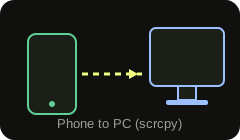
Honest note: A normal website cannot reliably mirror or control your phone like scrcpy does. This is a guide to the free desktop tools that do it well. WebUSB/WebADB exist but are experimental and not used here.
1 Enable Developer Options
On your phone: Settings → About phone → tap "Build number" 7 times until it says you are a developer.
2 Turn on USB debugging
Settings → System → Developer options → enable "USB debugging". Connect the phone with a data-capable USB cable.
3 Install platform-tools & scrcpy
Download Android platform-tools (for ADB) and scrcpy on Windows. Unzip them and open a terminal in that folder.
4 Check the connection
Run this and approve the RSA "Allow USB debugging?" prompt on your phone. You should see your device listed.
adb devices5 Start mirroring
Launch scrcpy to mirror and control your phone from your PC with low latency.
scrcpy6 Troubleshooting
If the device is not detected: use a different/data USB cable, re-accept the RSA prompt, reinstall platform-tools, and confirm Developer Options + USB debugging are on. Restart ADB if needed.
adb kill-server && adb start-serverThis is informational only. Yasaboy does not connect to your phone or run anything on your devices.